How to Get the Stream URL from Radio Garden
If you want to use a web stream from radio.garden, there a few manual steps involved.
Note
This is a feature that is planned to be implemented into CRA in the future. Right now though, it still requires some manual tweaking.
See this issue on GitHub.
What is Radio Garden?
According to Wikipedia,
Radio Garden is a non-profit Dutch radio and digital research project developed from 2013 to 2016, by the Netherlands Institute for Sound and Vision, by the Transnational Radio Knowledge Platform and five other European universities. According to the service, the idea is to narrow the boundaries from the radio.
The service allows you to listen to radio stations from all over the world through your browser. They also have an API that we can take advantage of to get a streamable URL.
Getting the Original URL
Open radio.garden in your web browser.
Find a radio station you want to listen to in game.
For example, suppose I want to stream Rice radio from Houston, TX:
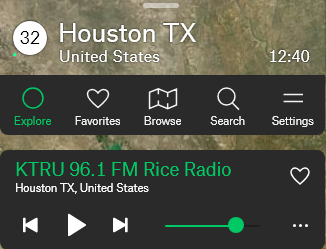
In the browser's URL bar, copy the station ID at the end of the URL:
This stations full URL is:
https://radio.garden/visit/houston-tx/CboUxFwkso I will copyCboUxFwksomewhere safe.
Getting the API URL
In this URL, replace TP8NDBv7 with your channel's ID.
- Original URL:
https://radio.garden/api/ara/content/listen/TP8NDBv7/channel.mp3 - Replaced URL:
https://radio.garden/api/ara/content/listen/CboUxFwk/channel.mp3
- Original URL:
Copy the modified URL into your web browser to verify that the stream works.
If you get the following response in the browser:
{"error":"Not found"}this means that the URL is not a valid web stream and will not work in the game.
Note
Not all radio.garden channels will work as a web stream!
A valid URL will redirect to the underlying web stream and allow you to play the station in the browser:
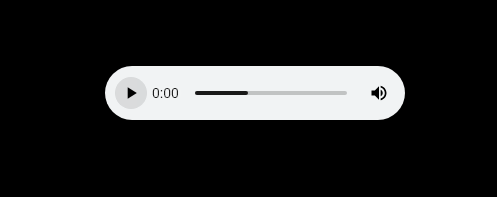
This means it is a valid web stream and can be used in game!
Adding to Cyber Radio Assistant
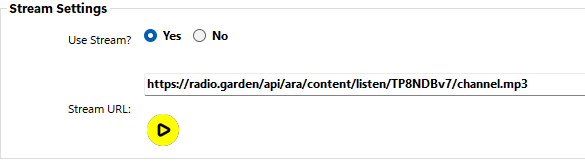
Once you have a valid web stream, you can paste it into the Stream URL on the station's properties pane in the application:
Tip
Remember, you can also preview the stream from within CRA by clicking the yellow play button beneath the stream input.